PetalBot is a website crawling bot of the Petal search engine. I have recently noticed in one of the news websites that I manage started getting a large number of requests from the bot. It kept getting worse, to the point that it started increasing the server load. So, I finally had to block the PetalBot using Cloudflare. Here is a step-by-step guide on how I did it.
Block PetalBot using Web Application firewall :
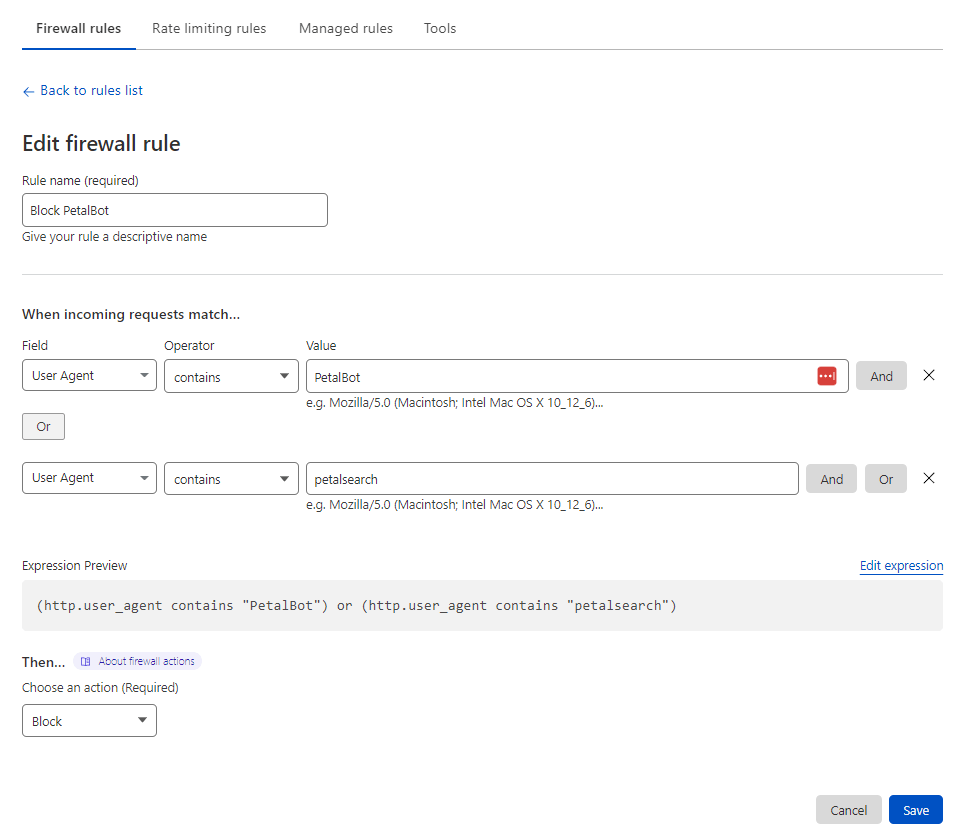
You can go to the WAF section under security and add the following firewall rule to block any User Agent which contains the name “PetalBot“. Please check the screenshot below to understand the firewall rule.
Cloudflare Firewall rule to block User Agent that contains, “PetalBot” or “petalsearch”
If your web application is behind Cloudflare and you try to access the IP address of the visitor in your application, it will always show Cloudflare IP addresses, to fix this, you need to replace the Cloudflare IP address with the real IP address of the respective visitor.
Cloudflare IP addresses :
First of all, you need to know the IP addresses of Cloudflare.
If you have multiple domains in a single Nginx server, then you have to make sure that the rules are applied globally on all the sites in the server or if it’s a single site, make sure that the rules are applied only for that particular web application.
You can add an extra layer of security to your WordPress website using the Cloudflare service. Here is a list of rules that you can apply to your website in Cloudflare settings to improve security.
Secure WordPress login page and administrator section
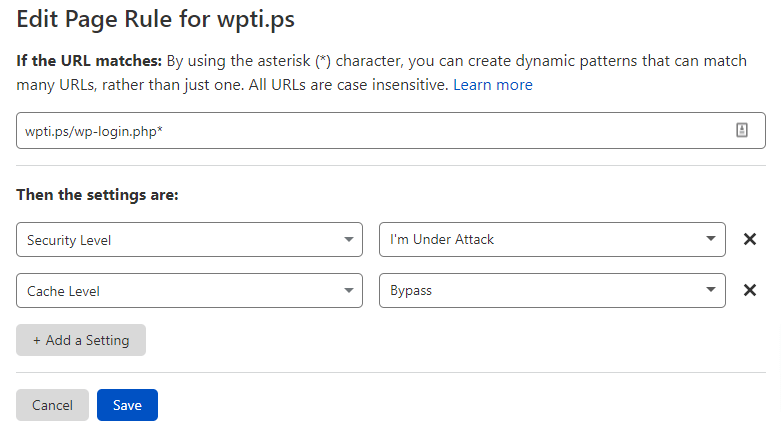
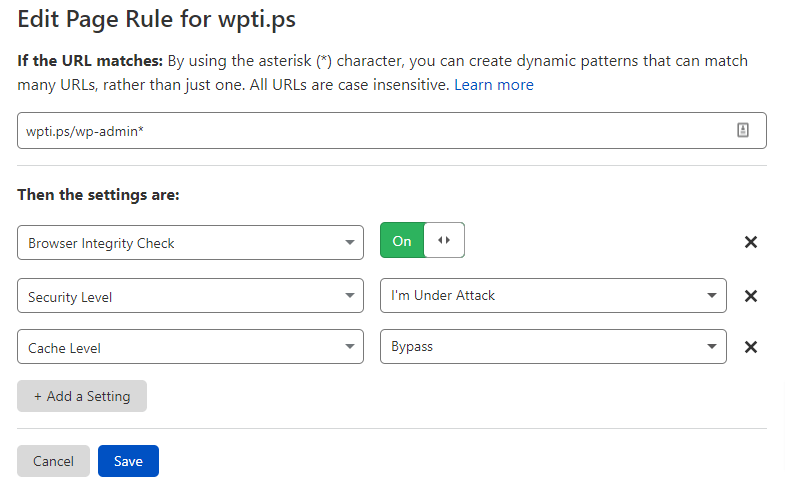
Secure WordPress admin and login URL from bot attacks by making sure that you add rules as per the given screenshot below.
Secure wp-login.php URL Secure WordPress admin section and disable cache
Disable access to the xmlrpc.php file
You can disable access to the xmlrpc.php file and allow only certain IP addresses. You may want to allow Jetpack or any other service.
The AS Number 2636 is jetpack number, you can use it to whitelist jetpack services.
You can copy the expression code below to implement the rule.
(http.request.uri.path eq "/xmlrpc.php" and ip.geoip.asnum ne 2635)
You can also completely block access to the xmlrpc.php file via the expression below.
(http.request.uri.path contains "xmlrpc.php")
Block xmlrpc.php file completely using Cloudflare firewall rule.
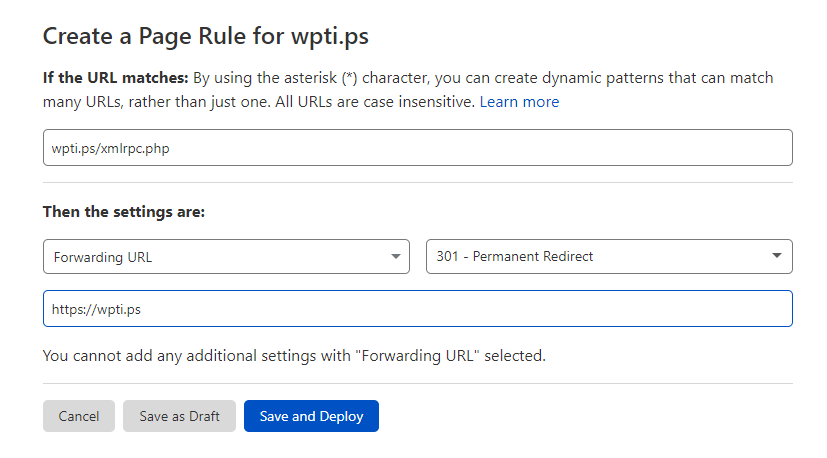
You can also redirect any traffic to xmlrpc.php file to home page or any other URL using page rule.
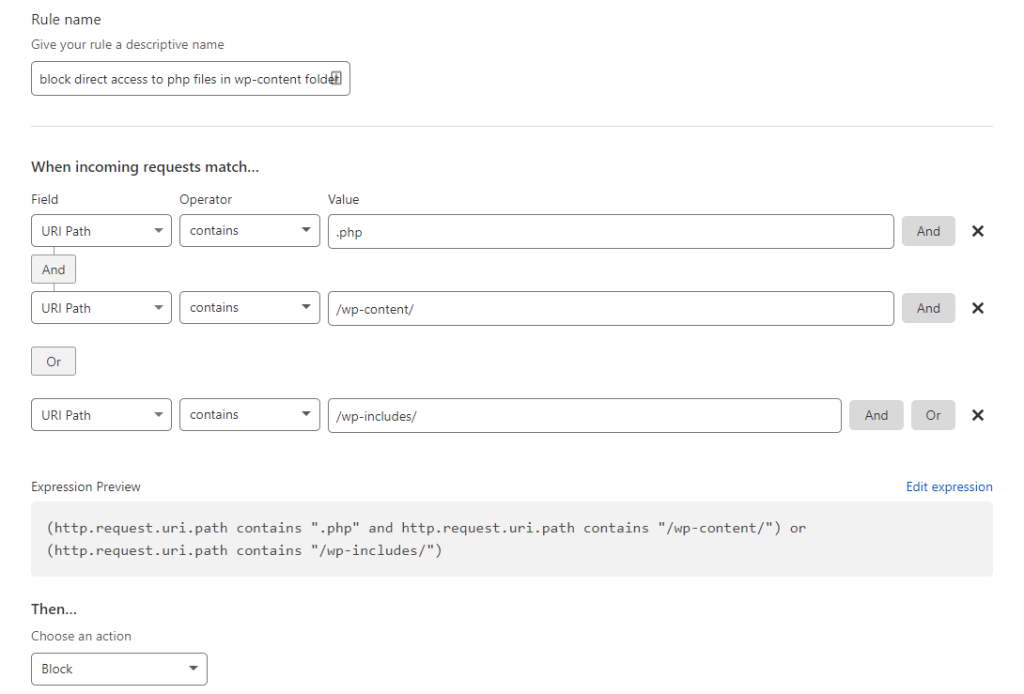
Block direct access to PHP files in the wp-content and wp-include folder
Direct access of PHP file can be blocked in wp-content or wp-includes folder.
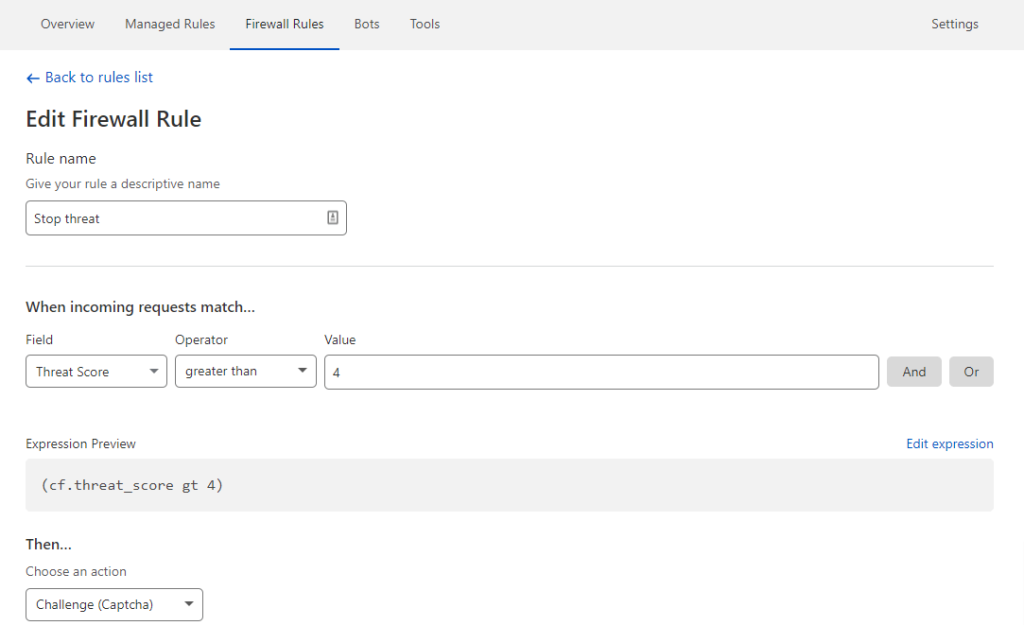
Add Captcha or Challenge users who have a higher threat score
Cloudflare has a Threat Score system, that gives a score to IP addresses based on their reputation. You can use it to block or challenge visitors with captcha. Use this option carefully not to block or discourage your real human visitors.
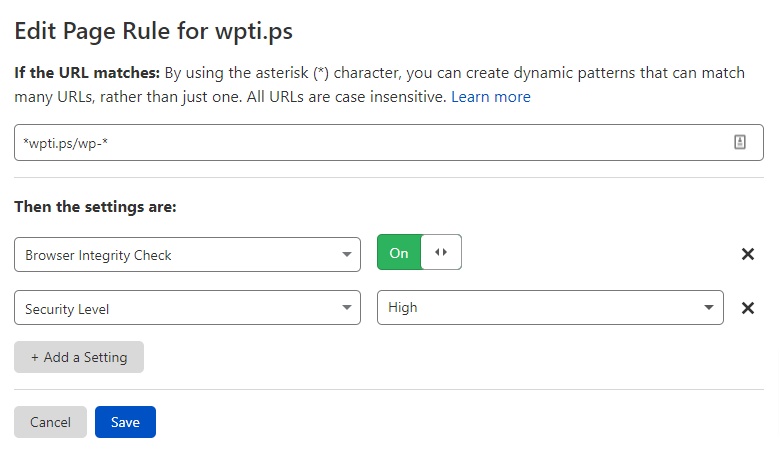
Secure requests with “wp-“
You can also secure any URL that has wp- , remember to put this rule below the wp-admin or wp-login.php RULE.
Do you use any of the rules, or you have any questions? Let me know in the comment section 🙂